
The current AIRAC cycle used by the FMS is displayed on the Aircraft Status page. The validity period of the installed Navdata is displayed, but the FMS provides no other indication if the Navdata is out of date.
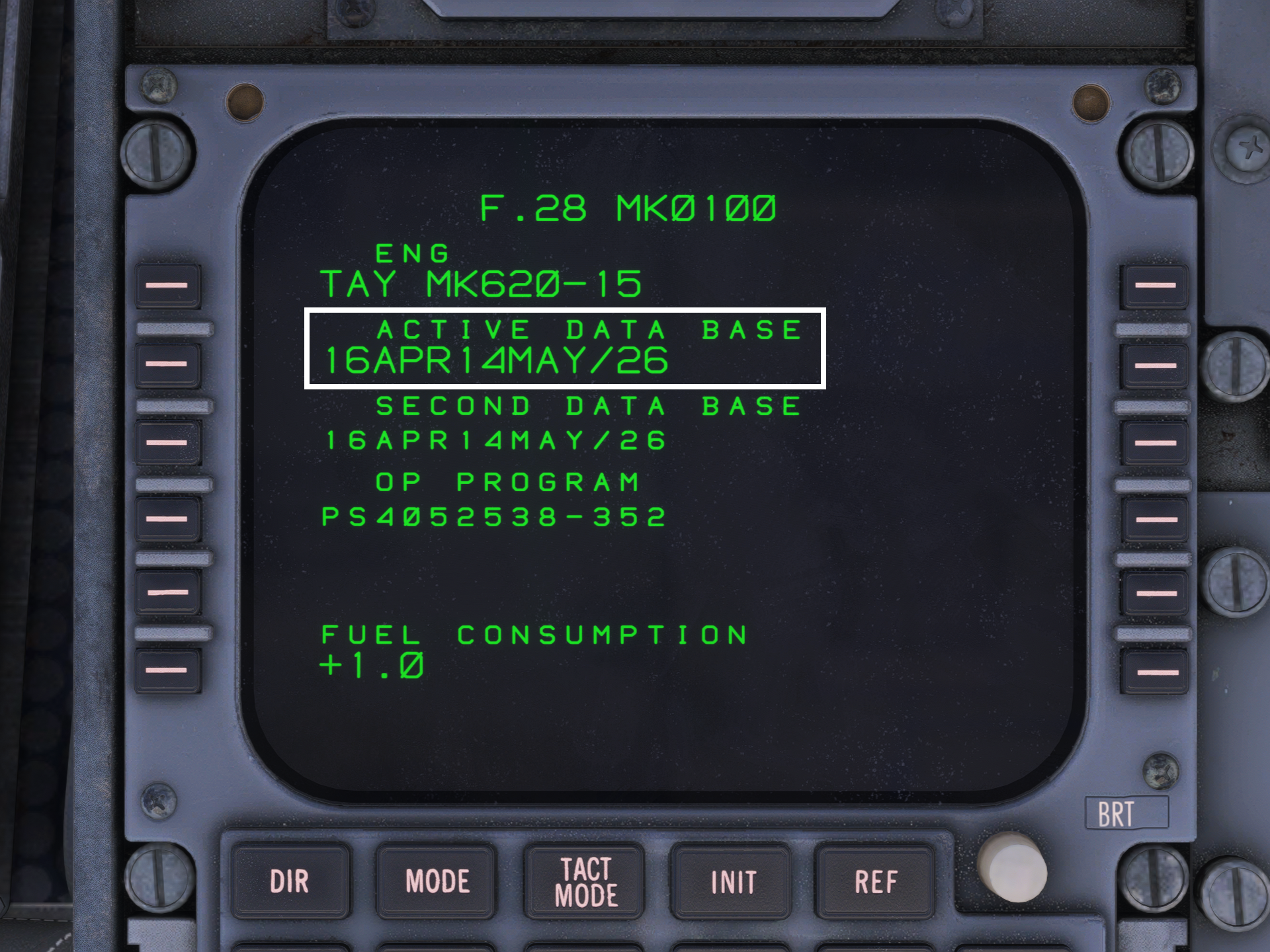
This simulation of the F70 and F100 includes Navdata from the AIRAC 2503 cycle as standard. Although this is not the most up-to-date AIRAC cycle, this Navdata should be sufficient in the majority of cases and should have little to no effect on your overall simulator experience.
PC users with an active Navigraph subscription can update their Navdata using the NAVIGRAPH HUB desktop application. After opening the app, click the green UPDATE button for the required aircraft. Once the Navdata has been successfully updated, the button will turn red, and the text will change to REMOVE, allowing you to remove this newly installed Navdata.
The navdata used by the FMS is stored in the following file directories; these vary depending on the product and the version of MSFS used:
F70 Professional
- MSFS 2020 – Microsoft Store: C:\Users\**USERNAME**\AppData\Local\Packages\Microsoft. FlightSimulator_8wekyb3d8bbwe\LocalState\packages\justflight-aircraft-f70\work\NavData
- MSFS 2020 – Steam:
C:\Users\**USERNAME**\AppData\Roaming\Microsoft Flight Simulator\Packages\justflight-aircraft-f70\work\NavData - MSFS 2024 – Microsoft Store: C:\Users\**USERNAME**\AppData\Local\Packages\Microsoft. Limitless_8wekyb3d8bbwe\LocalState\WASM\MSFS2024\justflight-aircraft-f70\work\NavData
- MSFS 2024 – Steam:
C:\Users\**USERNAME**\AppData\Roaming\Microsoft Flight Simulator 2024\WASM\MSFS2024\justflight-aircraft-f70\work\Navdata
F100 Professional
- MSFS 2020 – Microsoft Store: C:\Users\**USERNAME**\AppData\Local\Packages\Microsoft. FlightSimulator_8wekyb3d8bbwe\LocalState\packages\justflight-aircraft-f100\work\NavData
- MSFS 2020 – Steam:
C:\Users\**USERNAME**\AppData\Roaming\Microsoft Flight Simulator\Packages\justflight-aircraft-f100\work\NavData - MSFS 2024 – Microsoft Store: C:\Users\**USERNAME**\AppData\Local\Packages\Microsoft. Limitless_8wekyb3d8bbwe\LocalState\WASM\MSFS2024\justflight-aircraft-f100\work\NavData
- MSFS 2024 – Steam:
C:\Users\**USERNAME**\AppData\Roaming\Microsoft Flight Simulator 2024\WASM\MSFS2024\justflight-aircraft-f100\work\Navdata