Flight Management System (FMS) setup varies slightly when starting a flight on the runway (with engines running), versus starting a flight at a gate (with engines shut down). The main difference in these scenarios is that the FMS INIT B page is only accessible if the engines are not running.
As the INIT B page is used to input the mandatory fuel and weight values that are used for FMS performance calculations, it is imperative that these fuel and weight values are entered into the FMS via other means when starting a flight on the runway.
A full tutorial flight is available in the F70/F100 Professional Operations Manual, which includes a step-by-step guide for how to set up the FMS from a cold and dark state.
When starting a flight on the runway with engines running, we would recommend using the following procedure:
- Load a flight in the F70 or F100 on the runway.
- On the EFB tablet, open the Aircraft app and select the desired fuel and payload. Load the aircraft via the ‘INSTANT’ options on the Boarding and Refuelling simulation.
- On the FMS, open the INIT A page and complete all mandatory fields (square boxes).
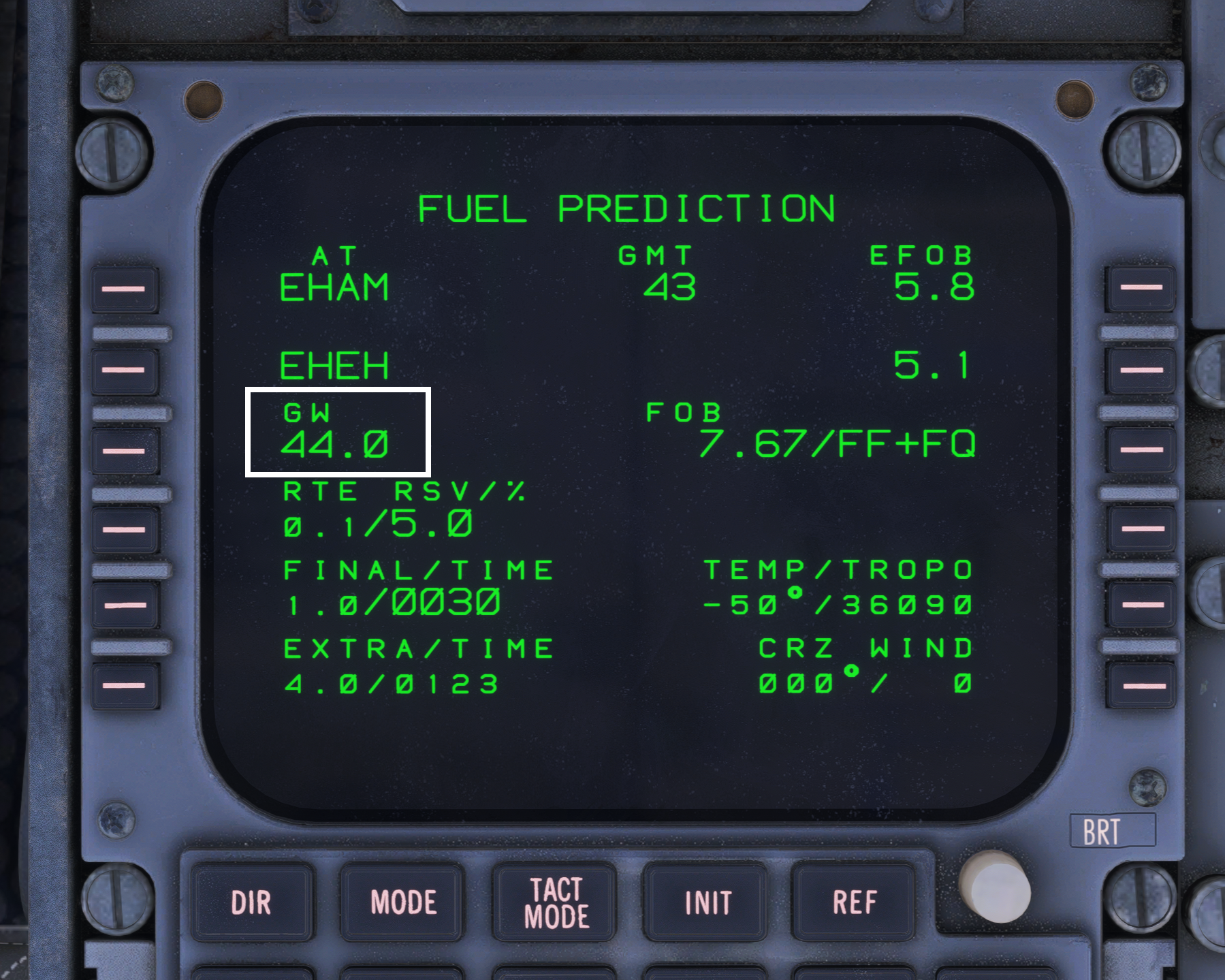
- On the FMS, go to PROG > FUEL PRED, and input the aircraft’s current Gross Weight into the GW field (this can be found at the bottom right corner of the EFB Aircraft app).
- All other fields will automatically populate on the FUEL PRED page, and the FMS will now have sufficient performance information to complete the flight.
- Complete the remainder of the FMS setup as normal (F-PLN and TO/APPR pages).
Alternatively, you may also use the EFB Performance Calculator to export weights to the FMS.